

SQL editor
Write SQL with AI beside you, run it read-only, chart the result and save it.
The SQL editor is for when you want full control. It runs read-only queries against a connected database and charts the result.
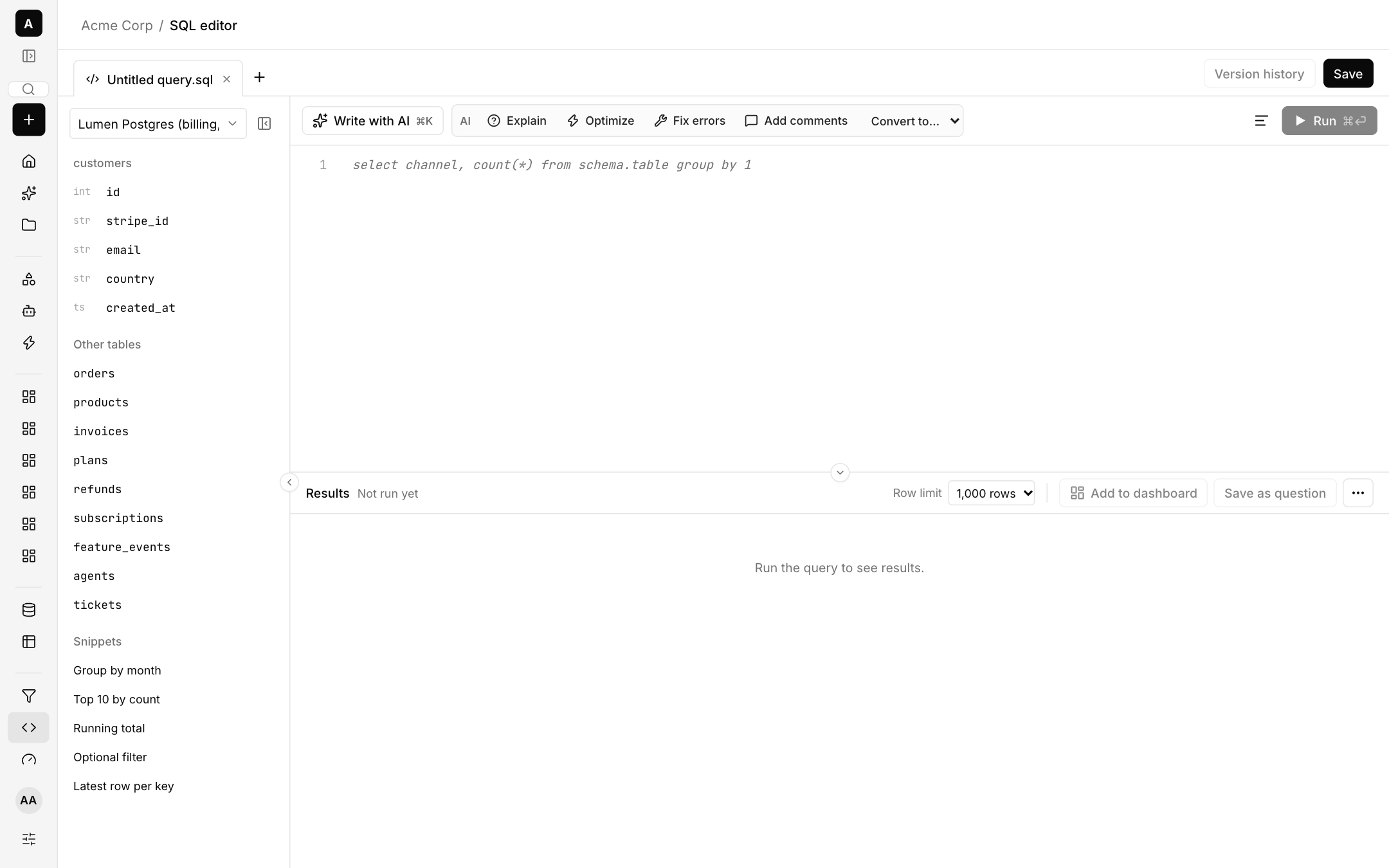
Write and run
- Pick a database at the top, or All sources (join across) to join tables from different connections in one SELECT. Nothing is stored.
- Browse tables and columns on the left. Click a snippet such as Group by month, Top 10 by count, Running total, Optional filter or Latest row per key to insert it.
- Press Run or ⌘⏎. Choose a row limit of 100, 1,000 or 5,000.
AI in the editor
- Write with AI (⌘K) drafts a query from a description.
- The AI menu can Explain, Optimize, Fix errors, Add comments and Convert to Snowflake, BigQuery or DuckDB.
After you run
- A Visualize bar suggests charts based on the data, with a reason for each, plus a table view.
- Add to dashboard and Save as question keep the result.
- Version history shows earlier versions of the query.
- Download results as CSV.
Cross-database joins and rules
A cross-database query is refused when a mask or row rule applies to any source in it, because free SQL cannot be masked or filtered safely. Native SQL, Ask AI and chats are turned off on a database for anyone a rule or mask applies to. See Access control.