

Welcome to Bhoral BI
An AI-first analytics workspace. Connect your data, ask in plain words, and keep every number trustworthy.
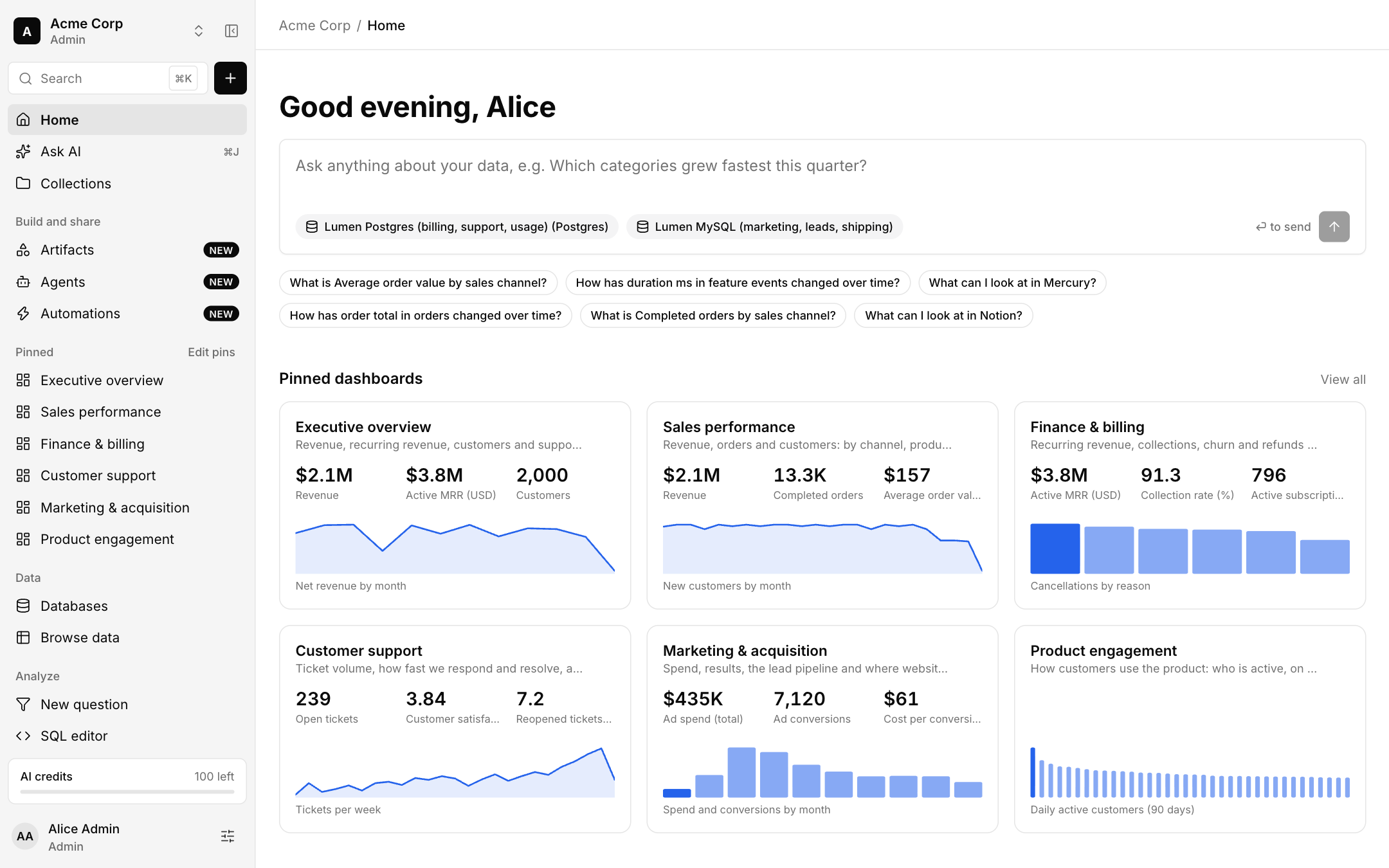
Bhoral BI is an AI-first analytics workspace. You connect your databases, MCP servers and skills, ask a question in plain words, and Bhoral writes the query, picks the chart and keeps the result on a dashboard you can share.
How Bhoral works
Connect
Add a database or upload a file. Bhoral reads table and column names so it can plan queries. Connections are read-only. Connect your data.
Ask
Type a question in Ask AI. The AI plans from names and types, runs a read-only query as you, and shows every step.
Keep
Save an answer as a question, pin it to a dashboard, schedule a report, or put it in an automation.
Trust
Define metrics once, see how your tables relate in the model, and control who sees what with access rules.
Where to go next
Quickstart
Your first question in a few minutes.
Concepts
Companies, roles and how the app is laid out.
Connect your data
Databases, files and MCP servers.
Ask AI
Plain words in, query and chart out.
Where the app lives
Sign in or create an account at app.bhoral.com. Screenshots in these docs use a sample company called Acme Corp with sample data.