

Quickstart
Create a company, connect a database and ask your first question.
This takes a few minutes. You need an email address and, to connect a database, its host, name and a read-only user.
Create your account and company
Go to app.bhoral.com/register and create your account, then create your company. A company is your workspace: it has its own databases, tools, skills and members.
If your company is waiting for activation, the app tells you. The setup wizard's last step lets you choose a plan, and the free trial needs nothing from you: just finish.
Connect a database
Open Databases in the sidebar and choose Add database. Pick your engine, enter the connection details and test the connection. We recommend a read-only database user: Bhoral also refuses anything but SELECT, so the protection is doubled.
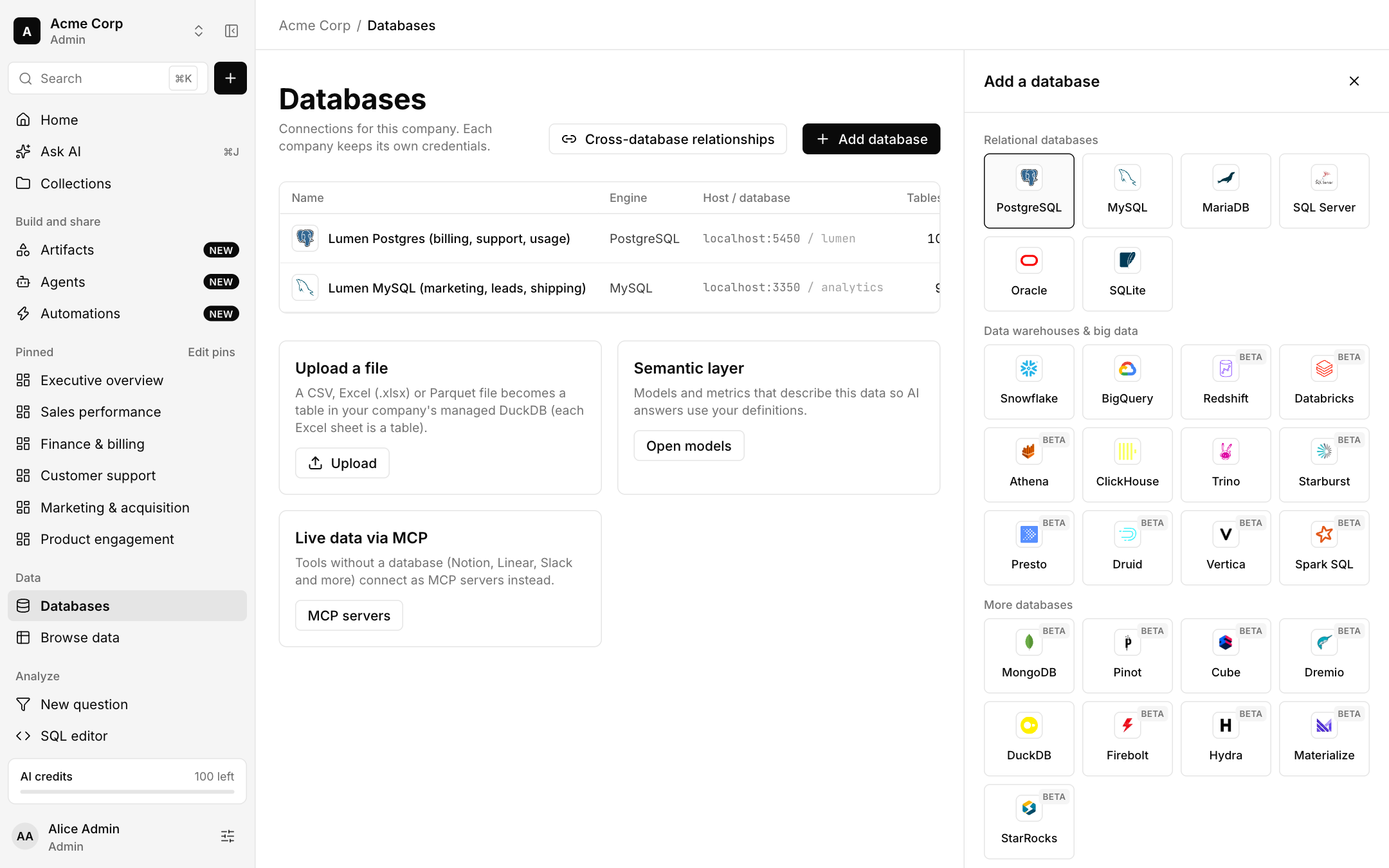
After the first sync you can see tables, columns and row estimates in Browse data.
Ask your first question
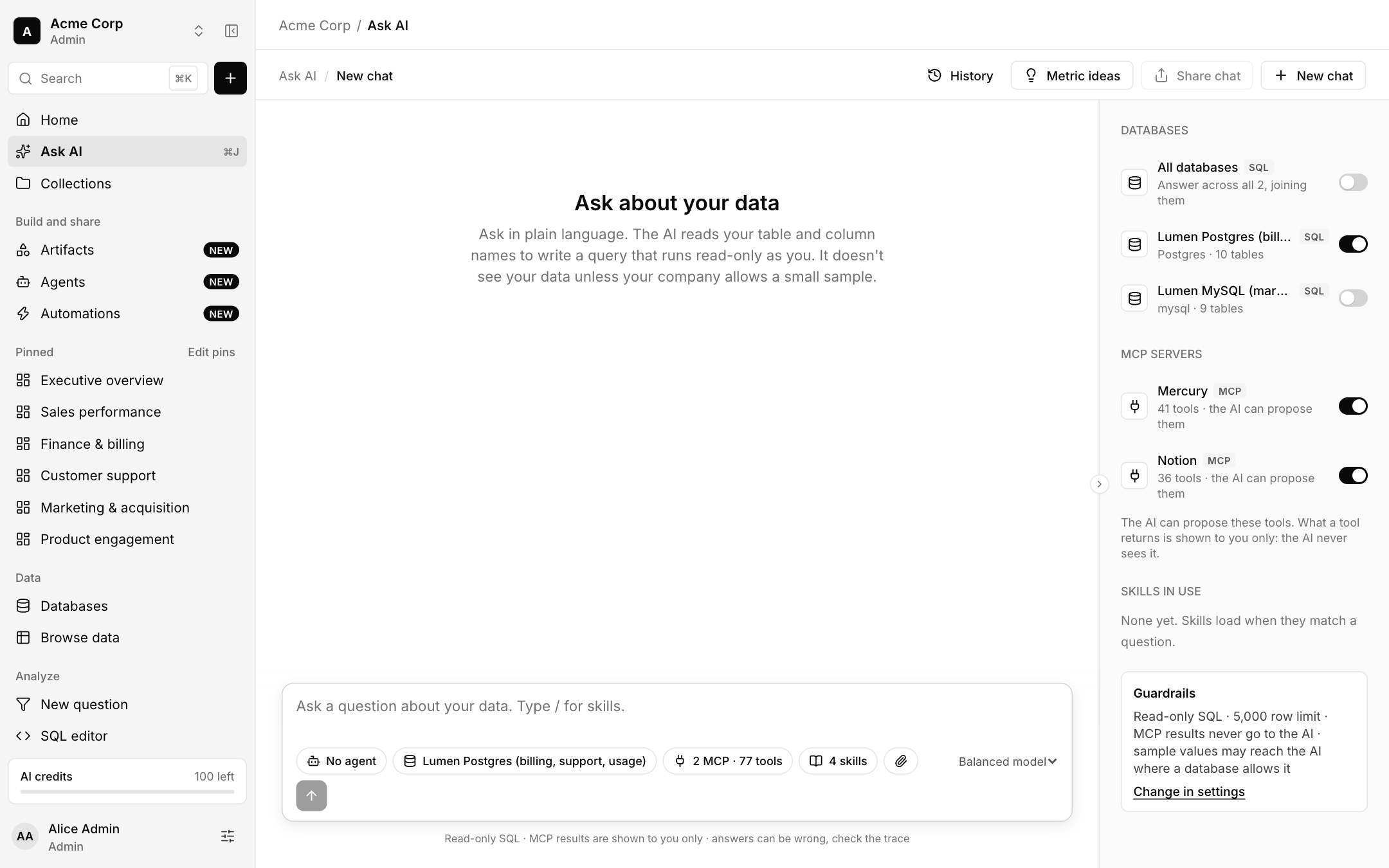
Open Ask AI, choose the database to answer from, and type a question such as the ones suggested on Home. Bhoral shows each step it took and the SQL it ran.
Keep what you found
Save the answer as a question, add it to a dashboard, or share it. See Dashboards.
Check answers that matter
Answers can be wrong. Open the trace and the SQL, and prefer a verified metric when one exists. See Metrics.