

API keys and MCP server
Let AI apps such as Cursor and Claude Desktop read your governed data through Bhoral.
Bhoral can act as an MCP server, so an AI app can read your company's governed data. Create a personal access token in Settings, API keys and embedding.
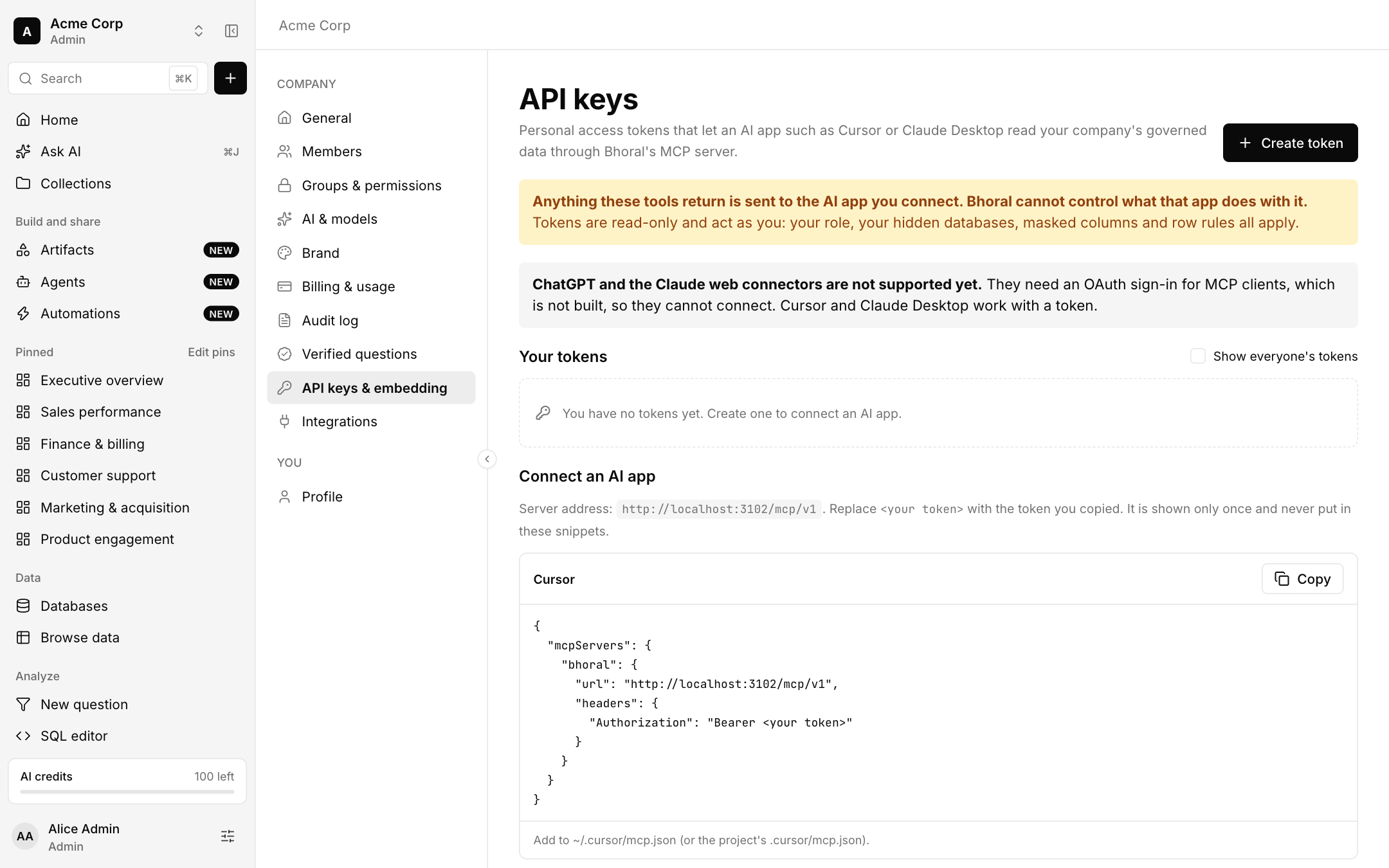
Connect an AI app
Choose Create token, name it and copy it. It is shown only once.
Add the server to your app. The page shows ready-made snippets for Cursor, Claude Desktop and a curl test, with the server address filled in.
Ask your app a question about your data.
What tokens can do
- Tokens are read-only and act as you: your role, hidden databases, masked columns and row rules all apply.
- Anything the tools return is sent to the AI app you connect, and Bhoral cannot control what that app does with it.
- Admins can show everyone's tokens.
Not available yet
ChatGPT and the Claude web connectors are not supported yet, because they need an OAuth sign-in for MCP clients. REST API keys for scripts are not built, so the tokens here work only with the MCP server.