

Access control
Roles, groups, row-level rules and column masking, enforced in code.
Bhoral enforces access in code, never in prompts. A prompt cannot talk its way past a permission.
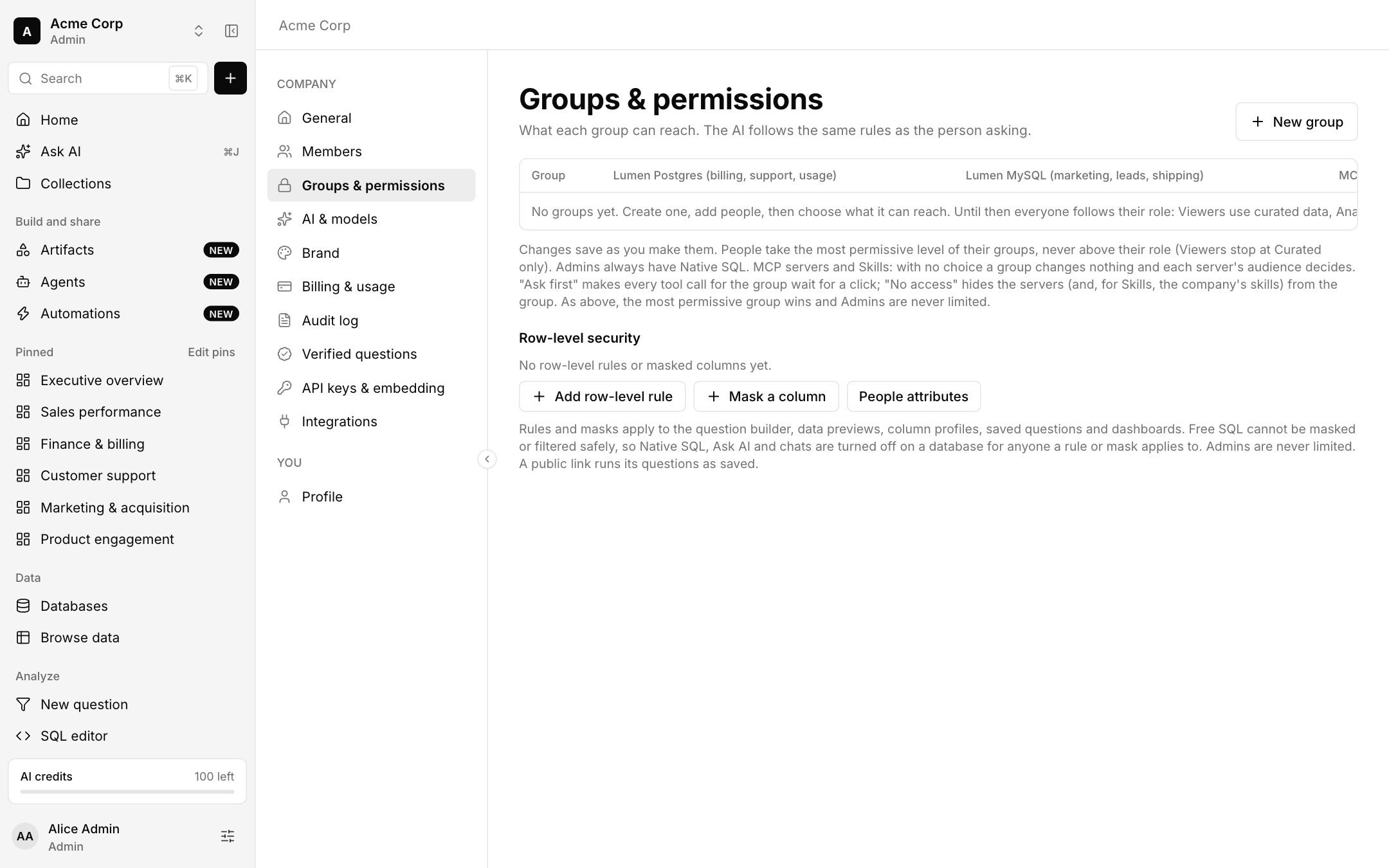
Roles and groups
Everyone follows their role until you create groups. Viewers use curated data, and analysts and admins use Native SQL. Create a group, add people and choose what it can reach on each database, MCP server and skill set.
- A person takes the most permissive level of their groups, never above their role. Viewers stop at Curated only.
- Admins always have Native SQL and are never limited.
- Ask first makes every tool call for the group wait for a click. No access hides the servers, and for skills the company's skills, from the group.
Row-level security and masking
Add a row-level rule to limit which rows a person or group sees, using people attributes. Mask a column to hide sensitive values.
Rules and masks apply to the question builder, data previews, column profiles, saved questions and dashboards. Free SQL cannot be masked or filtered safely, so Native SQL, Ask AI and chats are turned off on a database for anyone a rule or mask applies to. A public link runs its questions as saved.
What the AI can see
The AI follows the same rules as the person asking. It plans from table and column names and descriptions, and your company controls whether it may read sample values or dashboard results. See AI and models.